

Set donation controls
The minimum gift amount, manual verification and void approval settings for your whole organization.
Donation Controls sets your organization-wide minimum gift amount, along with how manual donations get verified and who can approve a void.
-
Open Finance → Settings, and select the Donation Controls tab.
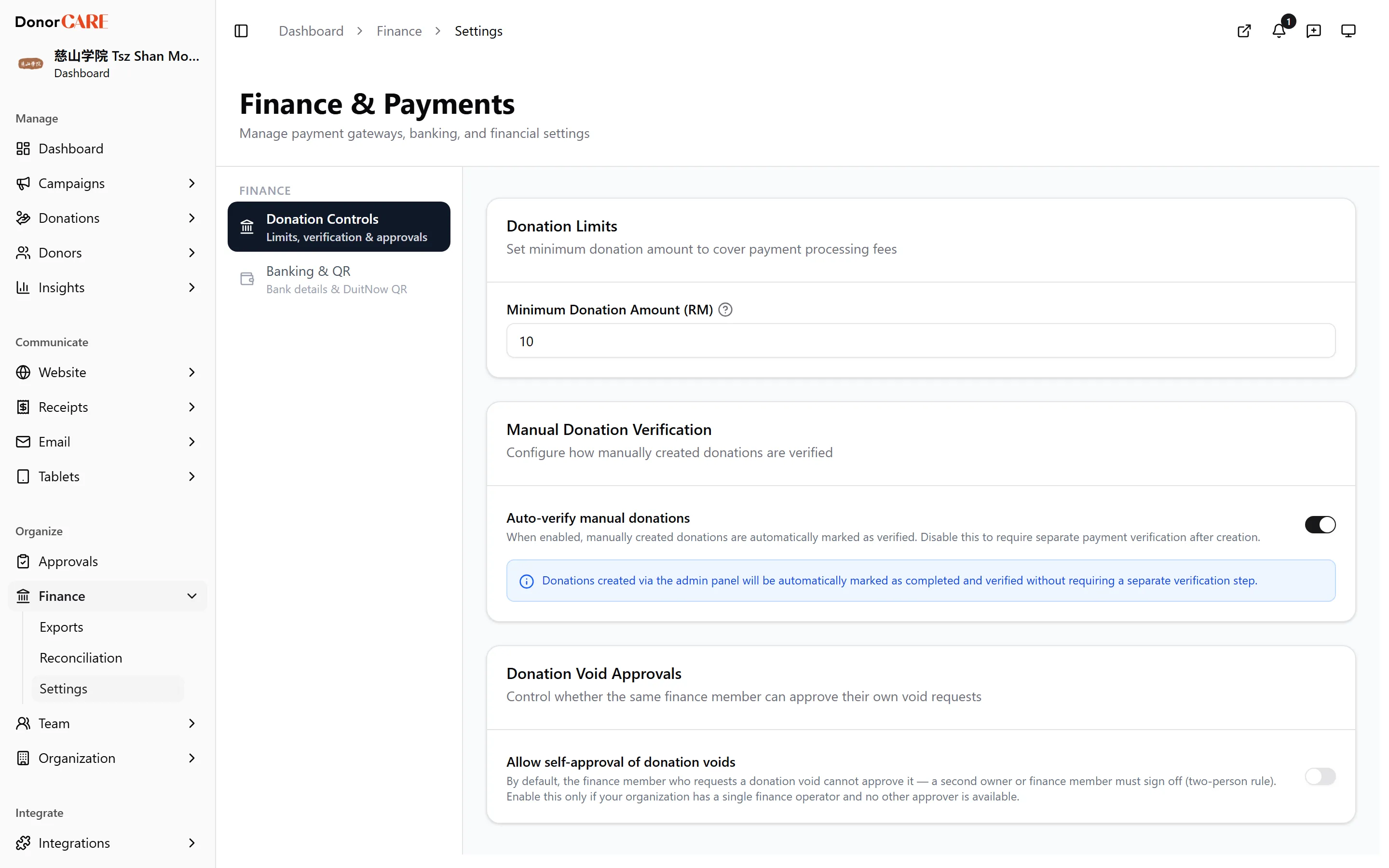
-
Set a Minimum Donation Amount (RM), if you want one. It is the lowest total a donor can pay in one donation from your campaign page, so the payment covers its processing fee. It can’t be set below RM 10, the platform’s own minimum, and a blank field means RM 10. It applies to the whole donation, not to each name or offering inside it: a RM 5 name in a RM 300 donation is fine. Donations your staff record themselves are not held to it.
-
Choose whether manual donations auto-verify. Turning on Auto-verify manual donations skips a manual review step for donations staff key in themselves.
-
Decide who can approve a donation void. Allow self-approval of donation voids lets the person who requests a void also approve it; leave it off to require a second person.
-
Select Save.
What this means in practice
Section titled “What this means in practice”Do
- Raise the minimum when small online payments cost more in fees than they bring in.
- Set a Min Amount on an offering’s price tier when every name on it should cost at least that much.
Don’t
- Use this setting to price each name or offering. It only checks the donation total; per-name prices belong on the offering’s price tiers.
If something goes wrong
Section titled “If something goes wrong”| What you see | What it means | What to do |
|---|---|---|
| “Minimum donation amount must be at least RM 10” when you save | The platform minimum is RM 10 | Enter RM 10 or more, or leave the field blank |
| A donation has one name below your minimum | The minimum applies to the donation total, not to each name | This is expected. To price each name, set a Min Amount on the offering’s price tier |
| Save doesn’t seem to apply | You may not have permission to change organization settings | Ask an Owner, Admin or Finance team member to make the change |
Related
Section titled “Related”Screenshots use sample data. Every screen on this page is captured against a demo organization seeded with generated donors, amounts, receipt numbers and campaigns. Any resemblance to a real person or organization is coincidental.