

Edit navigation and pages
Menus, static pages and the legal pages every public site needs.
Build the menu and footer donors use to get around your site, and keep the pages behind them — including the legal pages DonorCARE sets up for you — up to date.
-
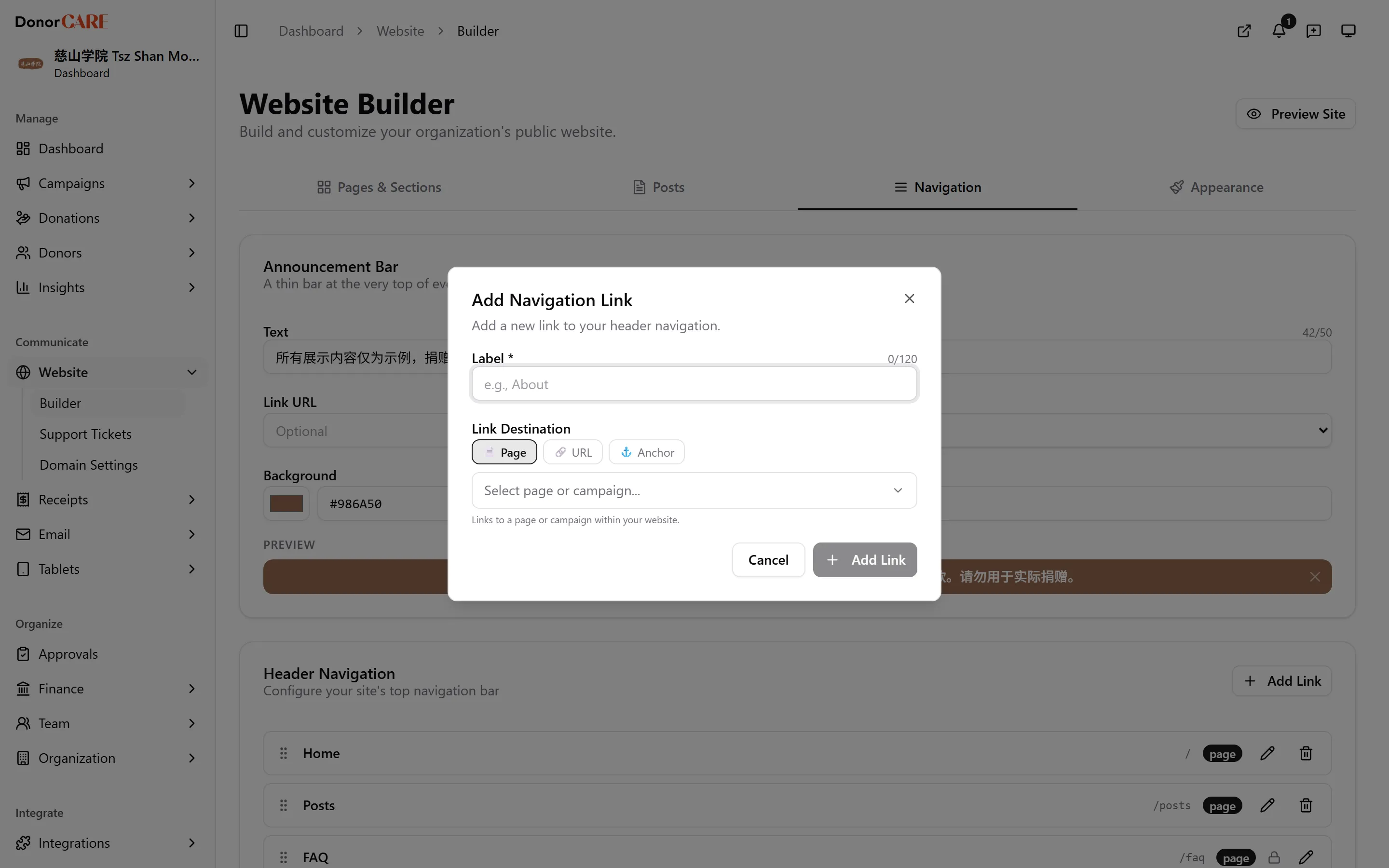
Open Website, then Builder, then select the Navigation tab.
-
Under Header Navigation, select Add Link to add a menu item. Give it a label and choose where it goes — an internal page, a post, a campaign, or an external URL. Drag items to reorder them. Home, About Us, FAQ, Contact Us and Posts come built in and can be reordered but not removed.
-
Turn on Announcement Bar if you want a banner across the top of every page — add its text, an optional link, and pick its colors.
-
Under Header Controls, choose what shows alongside your menu. Dark Mode, Cart and Account/login are on by default. Language Switcher is available if your organization is registered as a religious organization or clan association.
-
Under Footer, add columns and links the same way, and turn on the icons you want under Social Links — these use the addresses already on file in Organization Settings → Profile.
-
Switch to the Pages & Sections tab to edit your static pages — About Us, Contact Us, FAQ, and the legal pages (Terms of Service, Privacy Policy, Donation Terms). Select the pencil icon next to a page to open Manage Sections, then Add Section to build it from blocks: Text Content, Contact Information, Contact Form, Board Members, Registration Details, Call to Action, and Image.
-
Save each section as you go, then Save Changes on the page. Legal pages carry locked clauses that keep your organization compliant — you can add your own content above or below them, but the locked clauses themselves can’t be removed.
If something goes wrong
Section titled “If something goes wrong”| What you see | What it means | What to do |
|---|---|---|
| Part of a legal page won’t let you edit or delete text | That’s a locked compliance clause | Add your own content in a separate section instead — locked clauses stay as they are. |
| Your edits to a legal page don’t show on your site | The page is still a Draft, so donors read DonorCARE’s standard wording | Set the page to Published once your version is ready. |
| The FAQ page’s pencil icon opens something different from other pages | FAQ has its own dedicated manager | See Manage your FAQ. |
Related
Section titled “Related”Screenshots use sample data. Every screen on this page is captured against a demo organization seeded with generated donors, amounts, receipt numbers and campaigns. Any resemblance to a real person or organization is coincidental.