

Find an organization in the directory
Searching and browsing the DonorCARE directory of Malaysian non-profit organizations by name, cause, state, district or type.
Search or browse the DonorCARE directory to find a Malaysian non-profit or religious organization by name, cause or place, and see how to give to it.
Before you start
Section titled “Before you start”No account needed. Anyone can search and browse the directory.
-
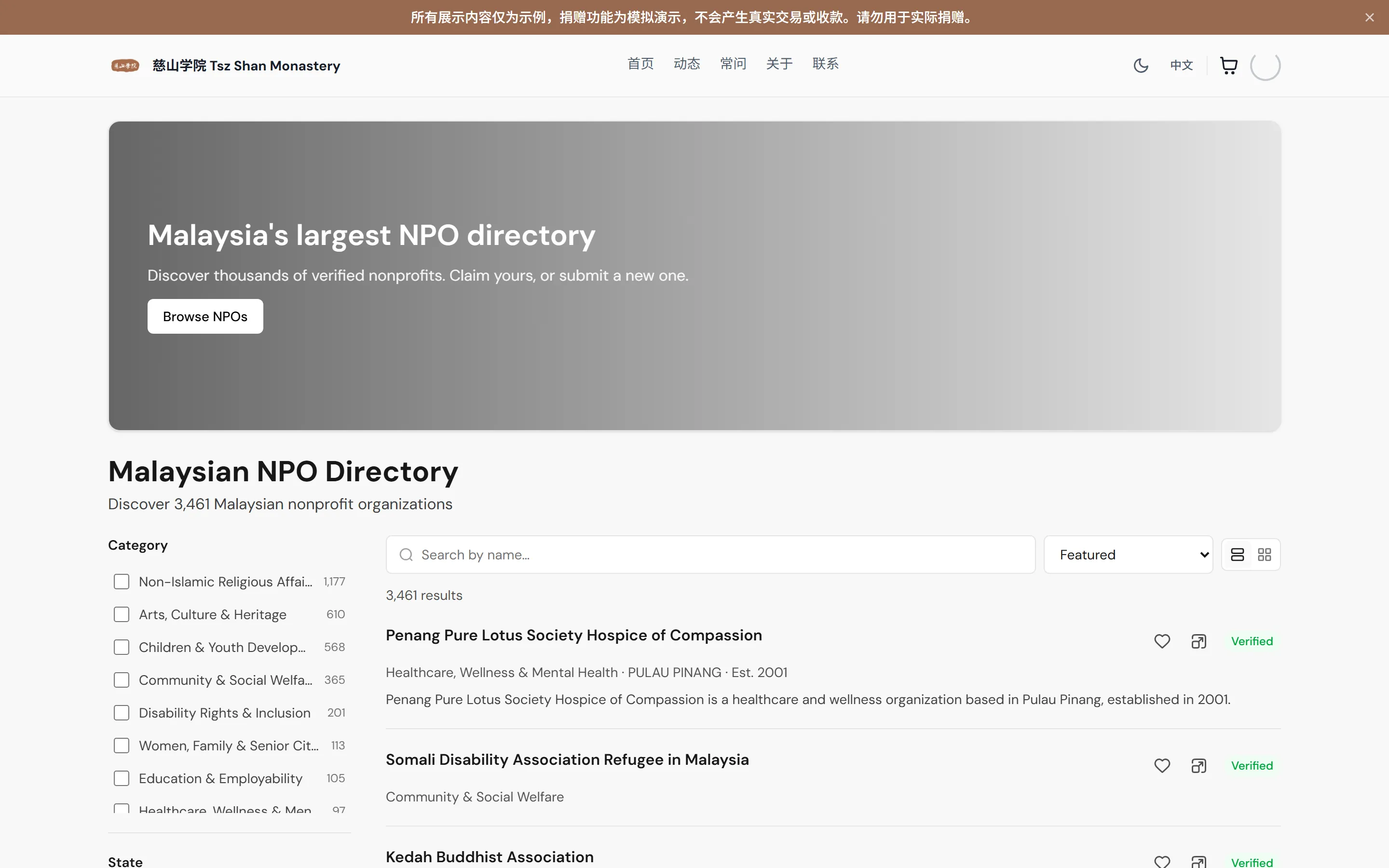
Open the Directory. The page is titled Malaysian NPO Directory. Use the switch at the top to choose Nonprofits (organizations) or Campaigns.
-
Search by name. Type in the box that reads Search by name…. Suggestions appear as you type; select one to go straight to that organization. The results below update as you type. To start again, select the clear (X) button in the box.
-
Narrow the list with filters. On a computer the filters sit beside the results. On a phone, select Filters. The number on the button shows how many are on. You can use these:
- Category — the cause, for example Education & Employability or Healthcare, Wellness & Mental Health.
- State — for example SELANGOR or W.P. KUALA LUMPUR.
- City — appears once the results include listings in specific cities.
- Claim Status — Runs on DonorCARE or Claimed. You can pick one at a time. See Understand a directory listing for what each means.
- Donations — turn on Accepting donations now to see only organizations you can give to through DonorCARE today.
- Additional Details — Organization Type (for example Temple or Foundation) and Tax-deductible. Not every listing records these, so filtering here can hide organizations that simply have no data. The panel says so.
Each filter heading can be opened and closed. As you scroll the filter list, the headings you have passed stay at the top so you can jump back to them. Select Reset to clear every filter. The row above the results shows your active filters as small tags you can remove one at a time, or all at once with Clear all.
-
Change the order. Use the Sort menu: Featured (the default), Most viewed, Recently updated, Newest or A–Z. Relevance is added while you are searching by name. Use the list and grid buttons (List view, Grid view) to change the layout on a larger screen.
-
Browse instead of searching. If you do not have a name in mind:
- On the Directory page, scroll below the results for Browse by Category and Browse by State, and strips such as Recently Joined DonorCARE, Recently Added and Most Viewed.
- Select See every category × state combination to open Browse by Category and State. It lists every state, every category, the districts within each state, and a Places of Worship by Type list.
- Choose a category to see a page titled “[Category] NPOs”, a state to see “NPOs in [State]”, or a category within a state to see “[Category] NPOs in [State]”. District pages narrow a state further.
- Tax-deductible NPOs opens a list titled Tax-Deductible NPOs in Malaysia of organizations recorded as approved under Section 44(6) of the Income Tax Act 1967. The page itself says DonorCARE has not checked this, so confirm with the organization before you claim tax relief. See When a donation is tax-deductible.
- Clan associations opens Clan Associations in Malaysia.
-
Select a listing to open its page, then read it with Understand a directory listing.
-
Keep a shortlist. Use the heart on a listing to save it and the compare button to line organizations up. See Compare and save organizations.
If something goes wrong
Section titled “If something goes wrong”| What you see | What it means | What to do |
|---|---|---|
| “This part of the directory is temporarily unavailable” and “Please try again shortly — it’s usually back in a moment.” | The directory could not load. | Wait a moment and reload the page. |
| “This listing is no longer available” and “It may have been removed or merged into another listing.” | The page you opened was removed or combined with another. | Search for the organization by name. |
| “Page not found” and “We couldn’t find that page” | The address does not match a directory page. | Go back to the Directory and search again. |
| A search or filter shows no results | No listing matches every filter at once. | Select Reset, or remove one filter at a time. |
Related
Section titled “Related”Screenshots use sample data. Every screen on this page is captured against a demo organization seeded with generated donors, amounts, receipt numbers and campaigns. Any resemblance to a real person or organization is coincidental.