

Organisation profile and branding
Update the details donors and your team see about your organisation — its name and address, logo and colours, stored documents, and regional settings like timezone and currency.
-
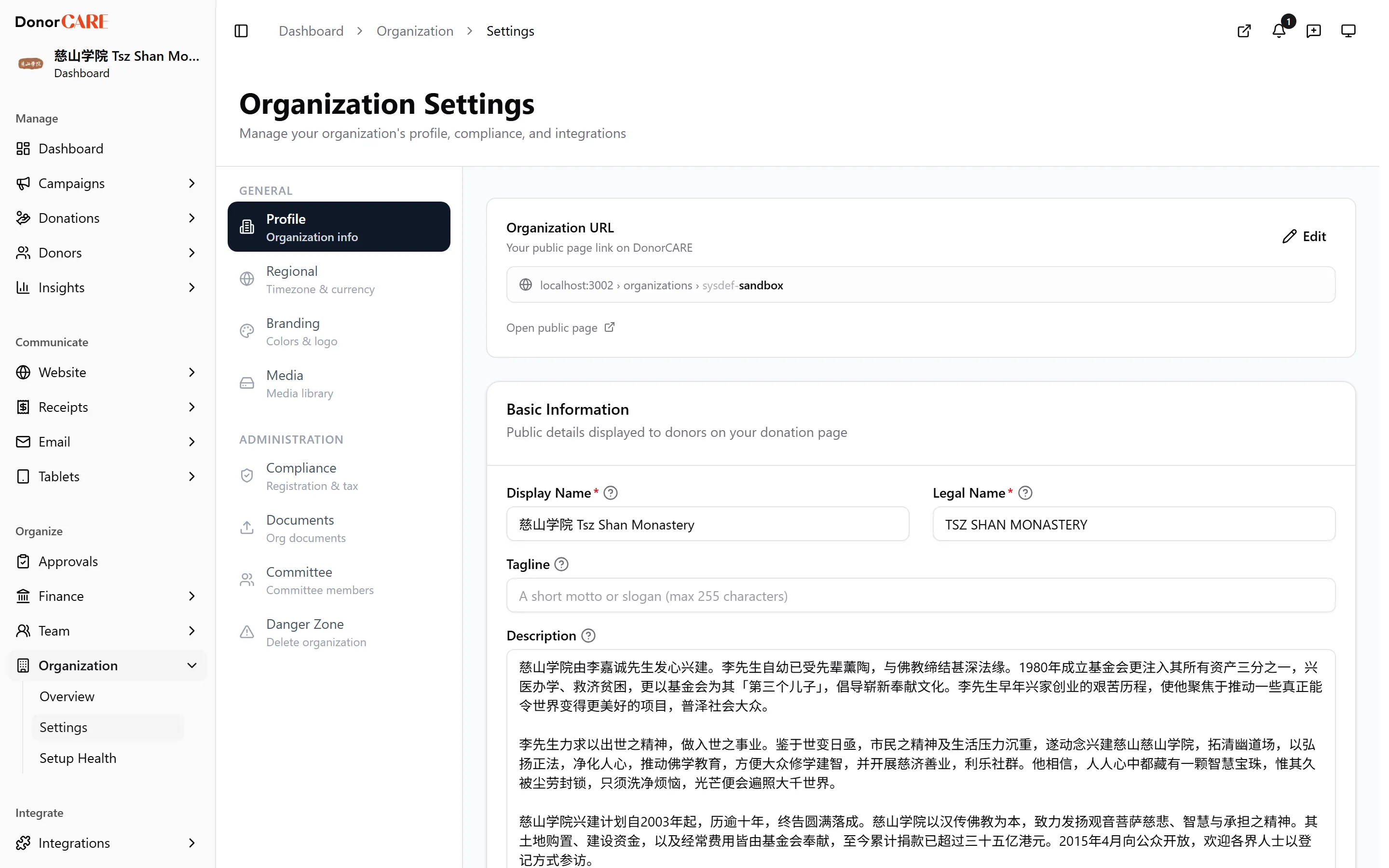
Open Organization → Settings. The page is split into a General group (Profile, Regional, Branding, Media) and an Administration group (Compliance, Documents, Committee, Danger Zone).
-
Fill in your profile. Under Profile, set your organisation’s name, address, service area and operating hours. The same tab shows your Organization URL — the public link donors use to find you — select Edit to change the slug at the end of it.
-
Set your branding. Under Branding, upload your Organization Logo (a separate dark-mode version is optional) and a Cover Image, then set your Primary, Secondary and Accent colours.
-
Set your regional defaults. Under Regional, set your Timezone, Time Format, Date Format and Currency — these control how dates and amounts display across your account.
-
Store your governance documents, if you want to. Under Documents, turn on Enable document storage to keep copies of things like your Certificate of Registration, Constitution, Tax Exemption Letter, Audited Financial Statements, Board Resolution and Bank Confirmation Letter for your own records. These uploads are optional and are not shared publicly.
-
Save each tab as you go. Changes on one tab don’t affect the others.
If something goes wrong
Section titled “If something goes wrong”| What you see | What it means | What to do |
|---|---|---|
| The organisation URL won’t save | The slug you chose is already taken by another organisation | Try a more specific slug |
| A logo upload is rejected | The file is too large or not a supported image format | Resize or convert the image and try again — see Media library for supported formats and sizes |
Related
Section titled “Related”Screenshots use sample data. Every screen on this page is captured against a demo organisation seeded with generated donors, amounts, receipt numbers and campaigns. Any resemblance to a real person or organisation is coincidental.