

Create a campaign
Creating a campaign takes one field and a few seconds — you fill in the rest once you’re inside the full editor.
Before you start
Section titled “Before you start”- Decide whether this is a regular fundraising campaign or, if your organisation runs ceremonies, a dharma event. You choose this once and cannot change it afterwards — see Choose a campaign type.
-
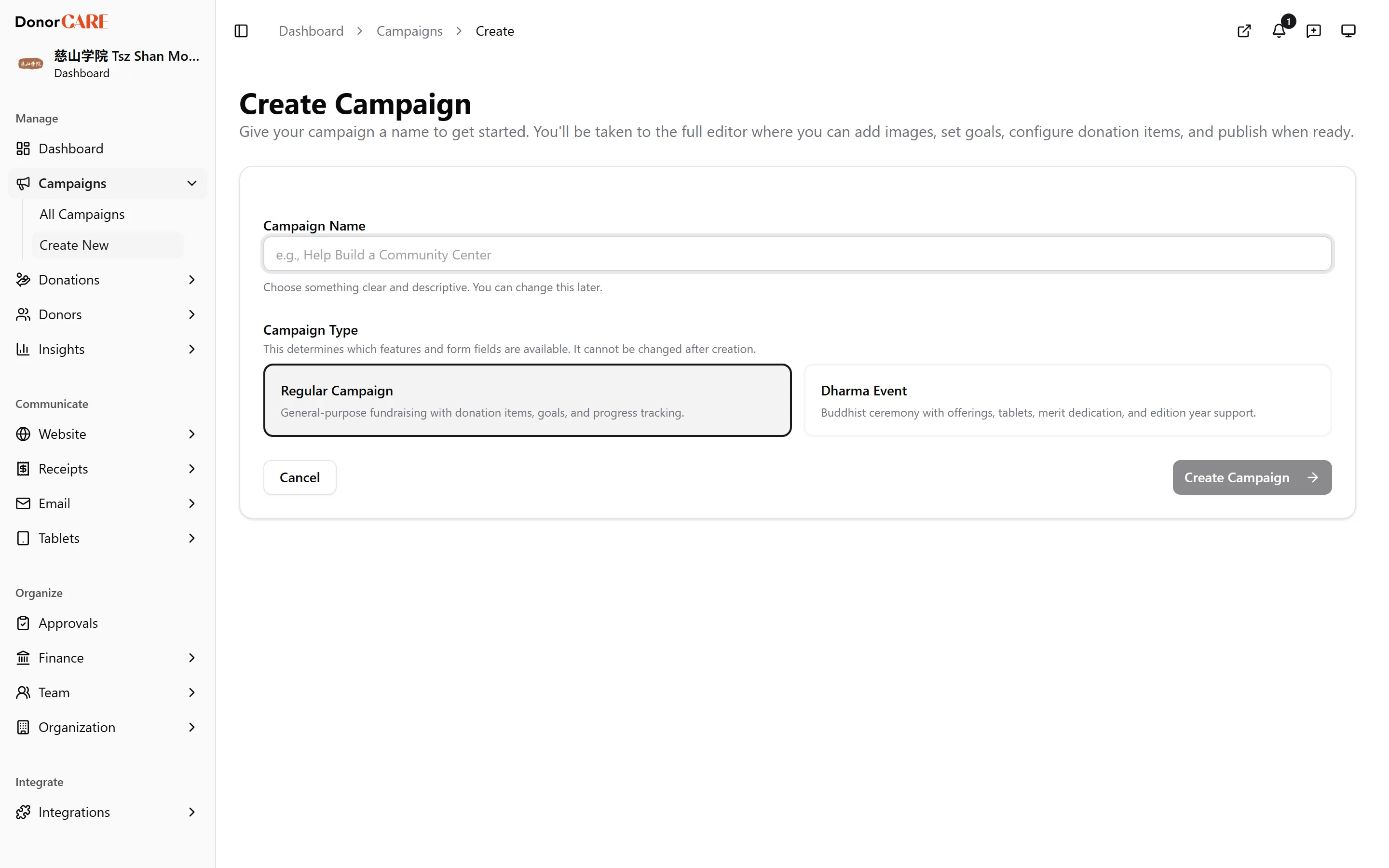
Open Campaigns and select Create Campaign. In DonorCARE, open Campaigns, then select Create Campaign.
-
Enter a Campaign Name. Type a clear, descriptive name — for example “Help Build a Community Center”. If your organisation has dharma events enabled, also choose Regular Campaign or Dharma Event under Campaign Type. This choice cannot be changed once the campaign is created.
-
Select Create Campaign. DonorCARE creates the campaign as a Draft and takes you straight into the full editor, where you set the description, goal, dates, donation items and everything else.
If something goes wrong
Section titled “If something goes wrong”| What you see | What it means | What to do |
|---|---|---|
| “Please enter a campaign name” | The Campaign Name field was left blank | Type a name and select Create Campaign again |
| “Failed to create campaign” | The request didn’t reach DonorCARE, or a server error occurred | Check your connection and try again; contact support if it keeps happening |
Related
Section titled “Related”Screenshots use sample data. Every screen on this page is captured against a demo organisation seeded with generated donors, amounts, receipt numbers and campaigns. Any resemblance to a real person or organisation is coincidental.