

Set up recognition tiers
Recognition levels reward a donor’s total giving to your organisation with a named tier — set up the ladder here before turning recognition on.
An Owner can change which roles have this in Account access.
Before you start
Section titled “Before you start”- Recognition is off by default. Turning it on immediately recognises every existing donor at whatever level their lifetime giving already qualifies for — decide your levels first, then switch it on.
-
Open Donors → Recognition.
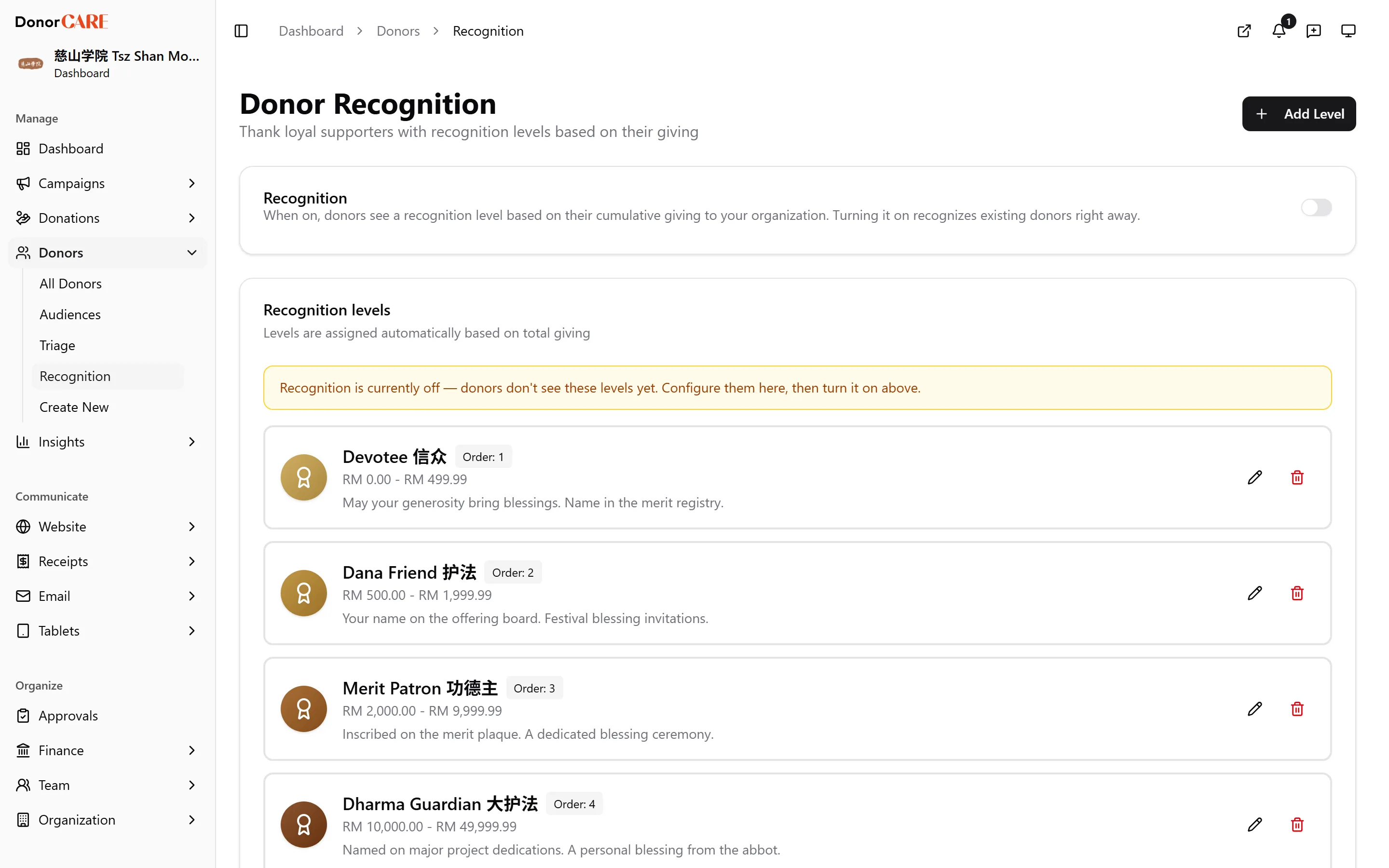
-
Select Add Level. Give it a name (for example, “Bronze”), a minimum amount, and — for every level except the top one — a maximum amount. Choose a colour and, optionally, a description of what the level includes.
-
Select Save. DonorCARE checks the ladder as you go: levels can’t overlap, and only the highest level can be open-ended with no maximum. A gap between two levels is allowed, but a donor who falls into a gap is shown at the lower of the two.
-
Repeat for each level, ordering them with Display Order so they read low to high.
-
When your ladder is ready, switch Recognition on. This is the confirmation step — turning it on immediately assigns a level to every donor whose lifetime giving already qualifies, based on the ladder you just built.
If something goes wrong
Section titled “If something goes wrong”| What you see | What it means | What to do |
|---|---|---|
| “Levels overlap — ranges must not intersect.” | Two levels share part of their amount range. | Adjust one level’s minimum or maximum so the ranges no longer overlap. |
| “Only one level can be open-ended (no maximum).” | More than one level was left without a maximum amount. | Give every level except the top one a maximum. |
| “There’s a gap between levels.” | A range of amounts falls between two levels and doesn’t belong to either. | This is a warning, not an error — a donor landing in the gap is shown at the lower level. Close the gap if that’s not what you want. |
Related
Section titled “Related”Screenshots use sample data. Every screen on this page is captured against a demo organisation seeded with generated donors, amounts, receipt numbers and campaigns. Any resemblance to a real person or organisation is coincidental.