

Set up your sender domain
Send DonorCARE email from your own domain instead of the shared donorcare.my address, so it lands in inboxes with your name on it.
Before you start
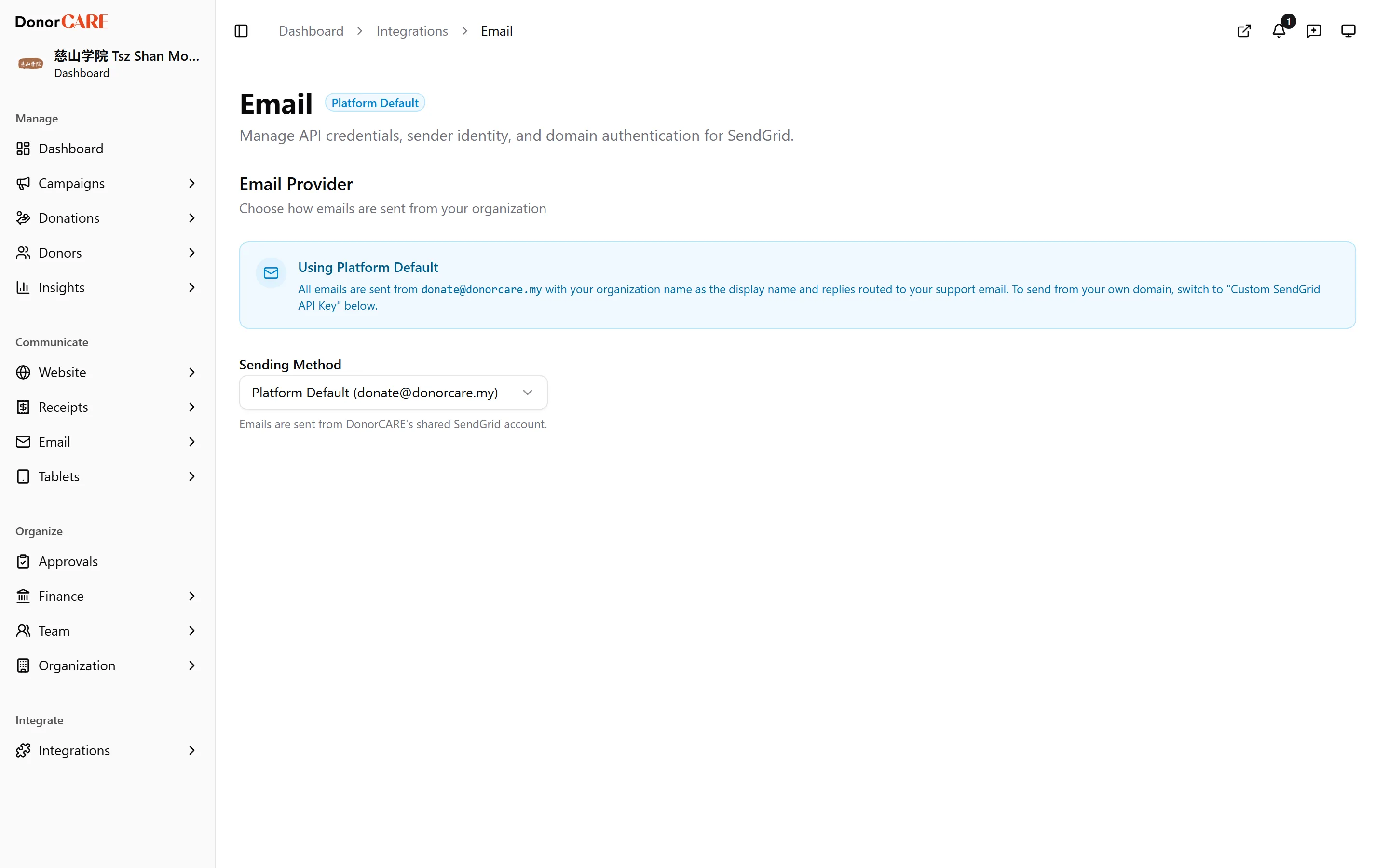
Section titled “Before you start”- Every organisation starts on Platform Default — mail sends from
donate@donorcare.my, with replies routed to your own support email. This step is optional; you don’t need it for anything to send. - You’ll need your own SendGrid account and an API key with Mail Send permission.
-
Open Integrations, then Email.
-
Under Email Provider, set Sending Method to Custom SendGrid API Key. Paste your API key, then fill in Sender Email (required) and, optionally, Sender Name and Reply-To Email.
-
Select Save, then Send Test Email to confirm your key actually works before you rely on it.
-
A Domain Verification section now appears. Enter your domain — root domain only, no
wwworhttp://— and select Quick Setup. -
DonorCARE generates 3 CNAME records. Add each Host and Value into your DNS provider exactly as shown, using the copy buttons to avoid typos.
-
Come back and select Verify DNS Records. DNS changes can take up to 48 hours to propagate, so a Pending badge right after saving is normal.
Once verified, you’ll see “Domain verified — you’re all set!” and the badge changes to Verified.
Do
- Know that mail keeps sending while you set this up — nothing is held back waiting for verification, including receipts.
Don’t
- Assume an unverified domain blocks anything. It doesn’t — DonorCARE sends from the Sender Email you entered even before it’s verified, or from
donate@donorcare.myif you haven’t set one. Verifying is what proves to mail providers that you really own the domain, which is what keeps your mail out of spam.
If something goes wrong
Section titled “If something goes wrong”| What you see | What it means | What to do |
|---|---|---|
| Still shows “Connected — Send a test email to verify” | Your API key saved, but you haven’t sent a test yet | Select Send Test Email to confirm it works. |
| DNS records still show Pending after a day or two | A record wasn’t copied exactly, or your DNS provider is proxying it | Recheck each Host and Value for typos. If you use Cloudflare, set the record to DNS only, not Proxied. |
Related
Section titled “Related”Screenshots use sample data. Every screen on this page is captured against a demo organisation seeded with generated donors, amounts, receipt numbers and campaigns. Any resemblance to a real person or organisation is coincidental.