

Connect your payment gateway
Connecting your own CHIP account means donations settle straight into your own bank account, under your own control — no other role can add or change these credentials, though an Owner can widen that in Account Access.
Before you start
Section titled “Before you start”- A CHIP account, in either its Sandbox (test) or Production (live) environment.
- Your Brand ID and Secret Key from the CHIP portal — DonorCARE never generates these for you.
-
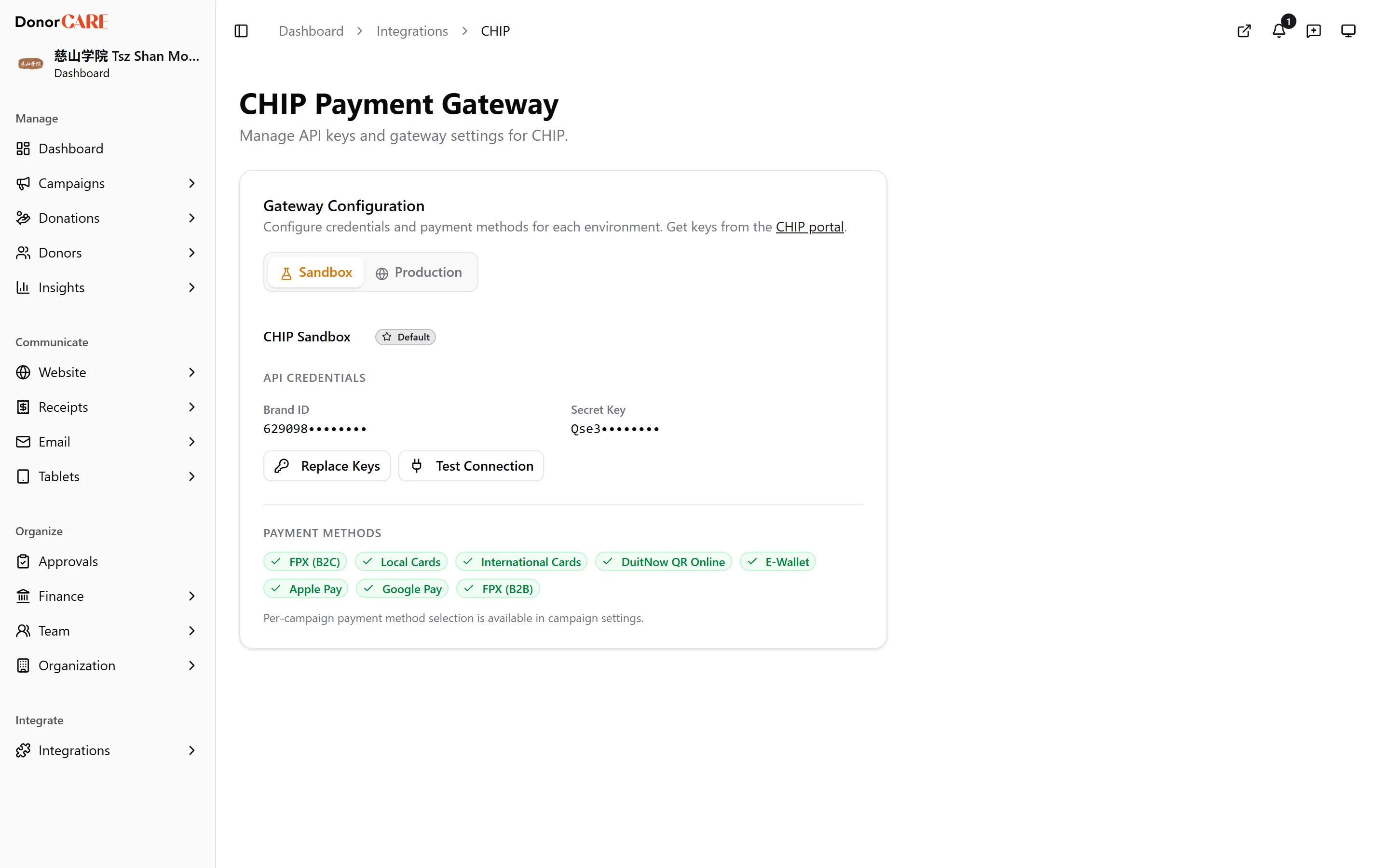
Open Integrations → CHIP Payment Gateway.
-
Choose Sandbox or Production. Use Sandbox to try checkout end to end without moving real money — DonorCARE can even fill in a set of demo Sandbox keys for you with Quick Setup (Demo Credentials), so you can test before you have your own CHIP account at all. Switch to Production only once you’re ready to accept real donations.
-
Enter your Brand ID and Secret Key, then select Save.
-
Select Test Connection. DonorCARE asks CHIP to confirm the keys work and reports back which payment methods are active for that environment — badges like FPX (B2C), Local Cards or DuitNow QR Online turn green as each one is detected.
-
Check the toast. A success message names how many payment methods were found, for example “Connection successful — 3 payment methods”. If it instead says “Connection failed”, re-check the keys you pasted — a stray space is the usual cause.
If you run more than one gateway, select Set as Default on the one donors should use.
If something goes wrong
Section titled “If something goes wrong”| What you see | What it means | What to do |
|---|---|---|
| “Connection failed” | CHIP rejected the Brand ID or Secret Key | Re-copy both from the CHIP portal, watching for extra spaces, and save again |
| “Connection test failed” | DonorCARE couldn’t reach CHIP at all | Try again in a moment; if it persists, check CHIP’s own status page |
| No payment methods appear after a successful test | Your CHIP account hasn’t enabled any methods yet | Enable the methods you want to accept in the CHIP portal, then test again |
Related
Section titled “Related”Screenshots use sample data. Every screen on this page is captured against a demo organisation seeded with generated donors, amounts, receipt numbers and campaigns. Any resemblance to a real person or organisation is coincidental.