

Generate a board report
A board report pulls together the figures your committee expects for a period — fundraising, compliance, donors or finances — into one formatted summary, without you building a slide deck by hand.
-
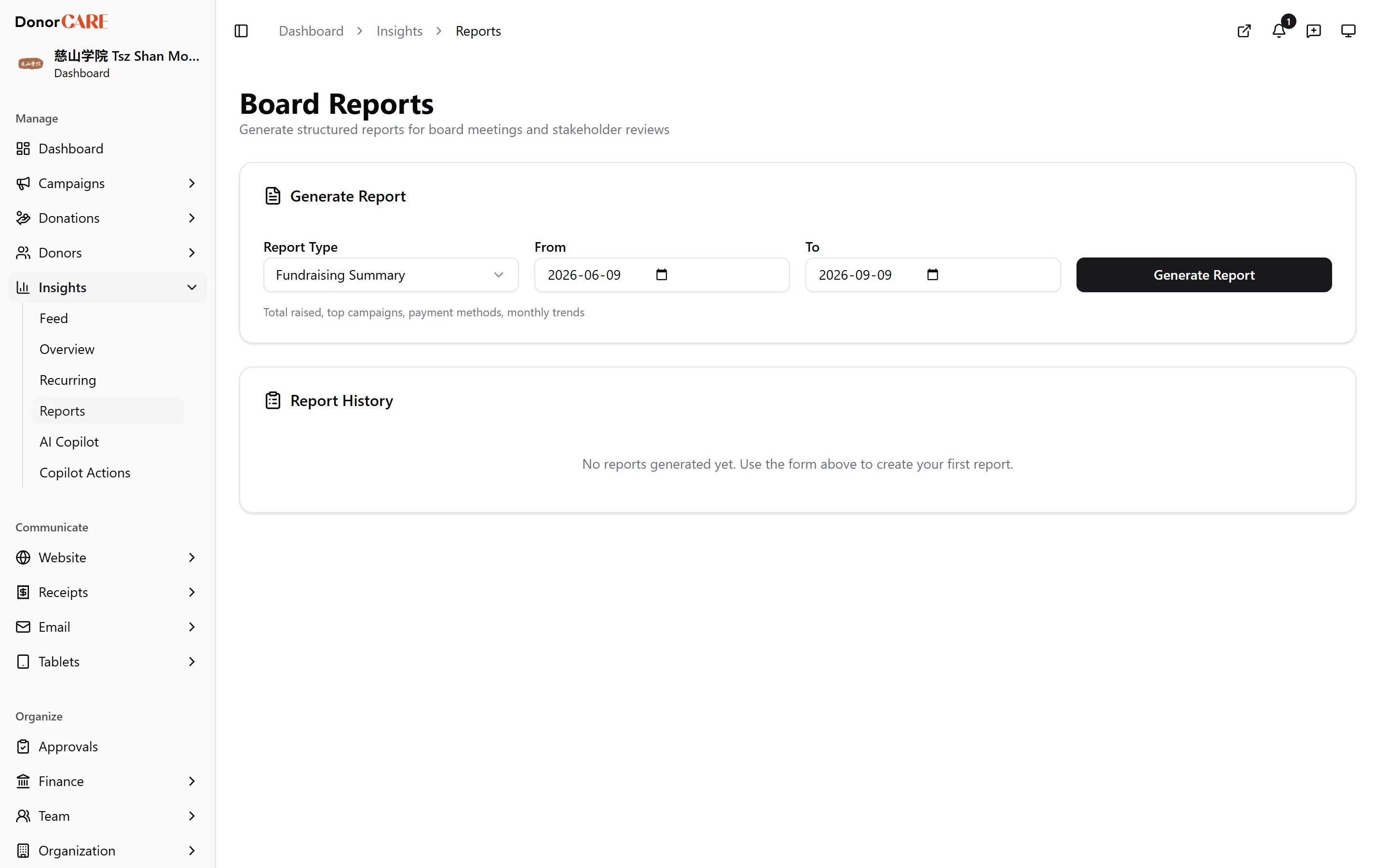
Open Insights → Reports.
-
Choose a report type: Fundraising Summary, Compliance Report, Donor Overview, or Financial Summary.
-
Set the From and To dates for the period the report should cover.
-
Select Generate Report. DonorCARE aggregates your organisation’s data for that period and range and shows it right there on the page — metric cards, tables and trend charts, laid out ready to read from or copy into a slide.
-
Find it again later under Report History. Every report you generate is saved, so you can reopen a past one for a board meeting without regenerating it — select the eye icon next to it.
What each report covers
Section titled “What each report covers”| Report | Covers |
|---|---|
| Fundraising Summary | Total raised, donation count, unique donors, top campaigns, payment methods, monthly trend, year-over-year comparison |
| Compliance Report | LHDN e-invoice submission counts, validation rate, top rejection reasons, pending actions, monthly trend |
| Donor Overview | New versus returning donors, top 10 donors by amount, average gift, engagement score spread |
| Financial Summary | Payment method breakdown, tax-deductible versus non-deductible split, reconciliation status, monthly totals |
If something goes wrong
Section titled “If something goes wrong”| What you see | What it means | What to do |
|---|---|---|
| The report shows nothing for the period | No completed donations fall inside the date range chosen | Widen the range |
| You need to share the report outside DonorCARE | There’s no separate download link yet — the report renders on this page | Copy the figures you need, or keep the tab open when presenting |
Related
Section titled “Related”Screenshots use sample data. Every screen on this page is captured against a demo organisation seeded with generated donors, amounts, receipt numbers and campaigns. Any resemblance to a real person or organisation is coincidental.