

Connect a custom domain
Move your public site from your free <yourname>.donorcare.my address to a domain name you own, without losing anything already live.
Before you start
Section titled “Before you start”- Custom domains are available on the Pro plan and above. On the free plan your site keeps working at your DonorCARE subdomain.
- You’ll need access to your domain’s DNS settings — wherever you registered or manage it (Cloudflare, GoDaddy, Namecheap, or similar).
-
Open Website, then Domain Settings. Your free address is shown at the top as
https://<your-subdomain>.donorcare.my— this keeps working even after you add your own domain. -
Under Custom Domain, select Add Custom Domain. Enter your domain exactly as you’ll use it, without
http://orhttps://— for exampledonate.yourorganisation.org— then select Add Domain.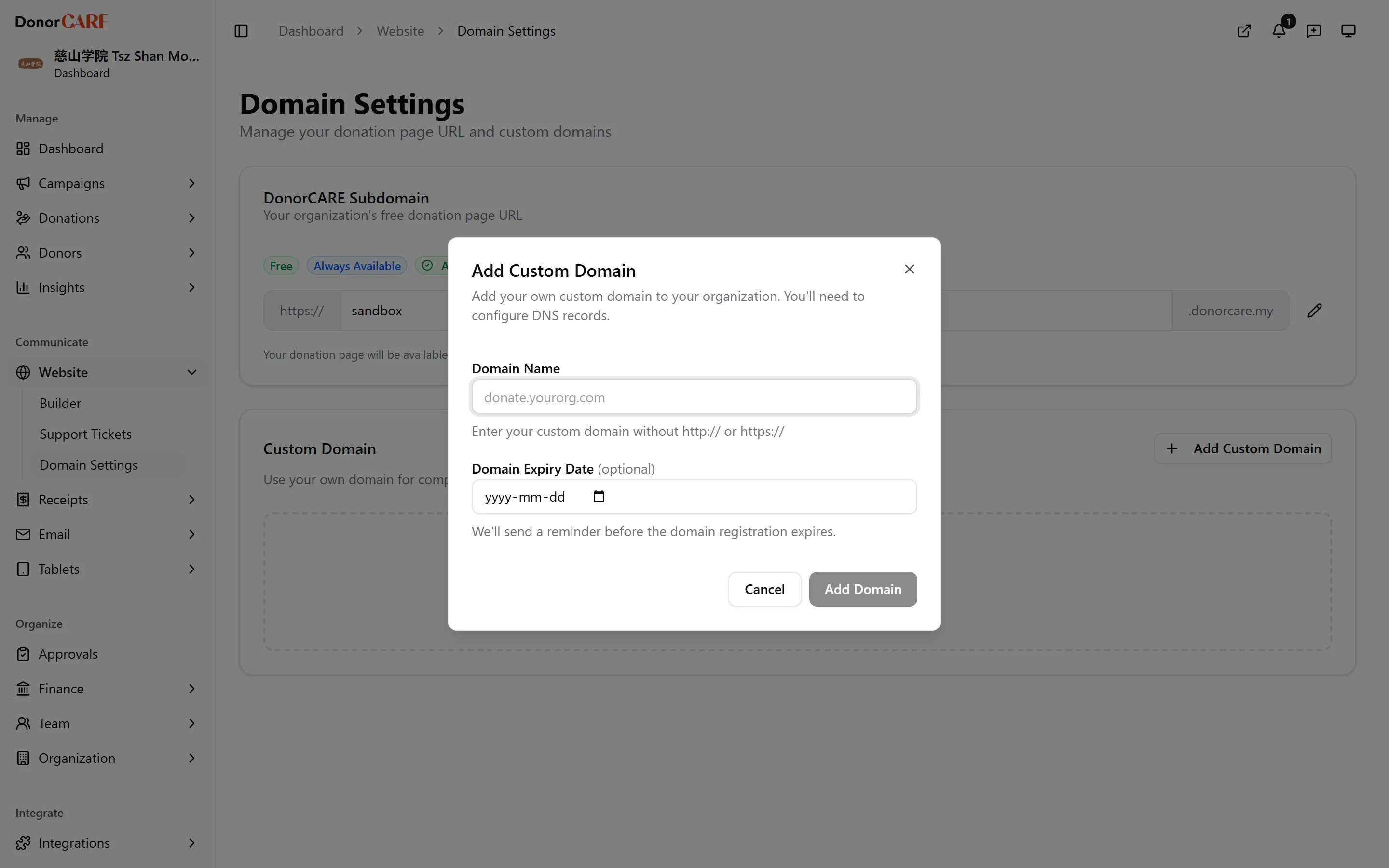
-
Add the DNS records DonorCARE shows you. At minimum this is a CNAME record pointing your domain at your DonorCARE address; while verification is pending you may also see a TXT record proving you own the domain, and a separate record for your SSL certificate. Copy each Host and Value into your DNS provider exactly as shown — use the copy button next to each to avoid typos.
-
Save the records in your DNS provider, then come back and select Check. DNS changes can take a few minutes to propagate, and up to 24 hours in some cases — a “Pending” badge right after saving is normal.
-
Once verified, the badge changes to Verified and DonorCARE confirms your domain is live with an SSL certificate. Select Set Primary if you want this to be the address donors reach by default.
If something goes wrong
Section titled “If something goes wrong”| What you see | What it means | What to do |
|---|---|---|
| “TXT record not found in DNS” or “TXT record value in DNS is outdated” | The record hasn’t reached DonorCARE yet, or was copied slightly wrong | Re-copy the Host and Value from Domain Settings exactly, save them in your DNS provider, then select Check again. |
| Your domain won’t verify and you use Cloudflare | Cloudflare’s orange-cloud proxy can hide the record DonorCARE needs to see | Set the record to DNS only (grey cloud), not Proxied. |
Your domain has no prefix (e.g. yourorg.org, not donate.yourorg.org) |
Root domains sometimes need an extra step your DNS provider calls CNAME flattening | Check your DNS provider’s own instructions for pointing a root domain at a CNAME target. |
Related
Section titled “Related”Screenshots use sample data. Every screen on this page is captured against a demo organisation seeded with generated donors, amounts, receipt numbers and campaigns. Any resemblance to a real person or organisation is coincidental.