

Find a donation
Every role that can see Donations can search and filter the full list down to the one gift you’re after.
-
Open Donations, then select All Donations.
-
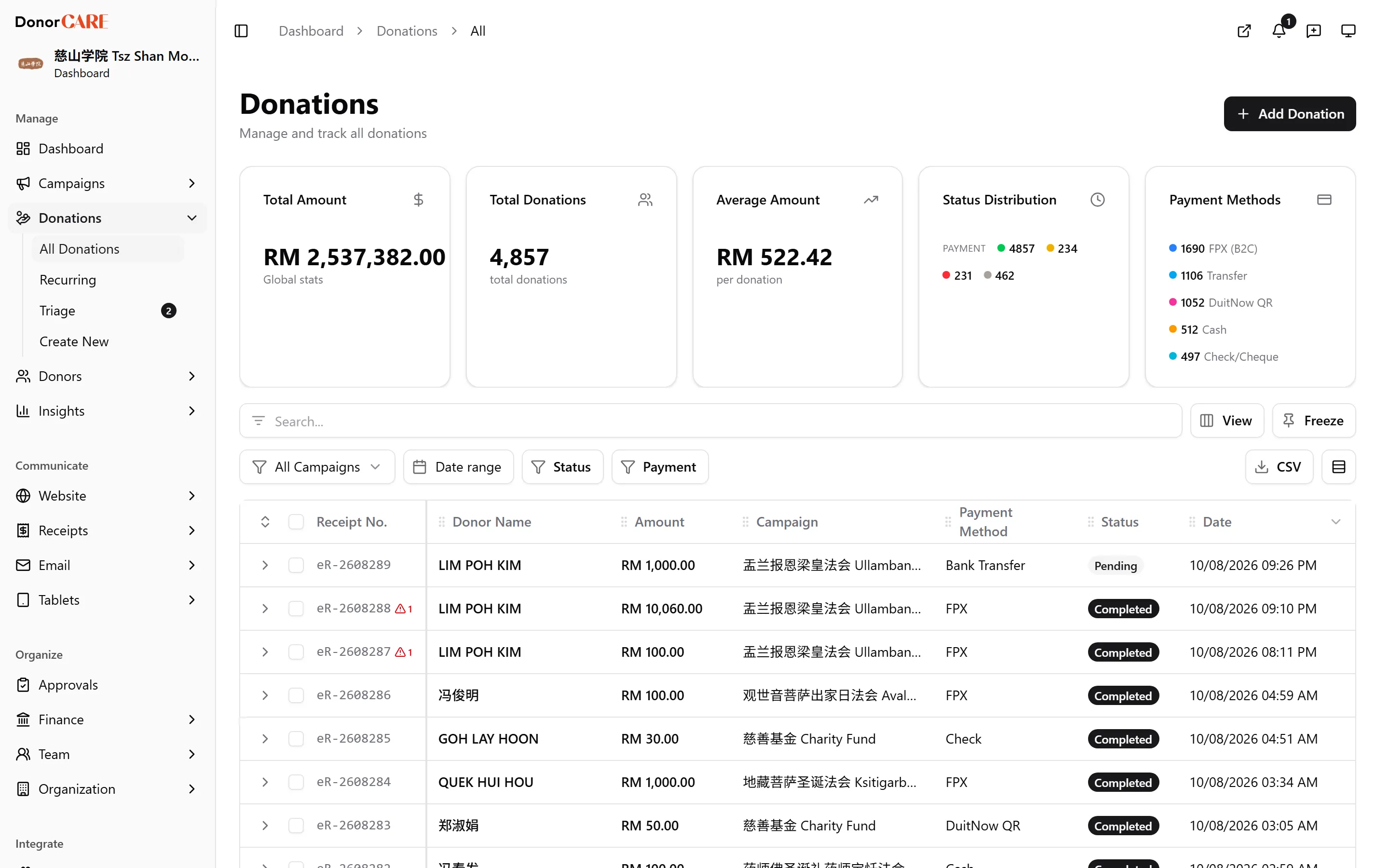
Search by name, email, campaign or receipt number. The search box matches against the donor’s name, the name printed on the receipt (if it’s been overridden), the donor’s email, the campaign name and the receipt number itself — so a receipt number typed into the search box finds the donation immediately.
-
Narrow with the filters. Filter by status (Pending, Completed, Failed, Canceled, Voided, Draft), e-invoice status, payment method, campaign, or — once a campaign is chosen — its offering and tier. A date range is also available.
The date range filters by when the record was created in DonorCARE, not by the payment date. For a donation entered on time, the two are the same day; for one entered later than the gift itself, a date range built around the gift date can miss it. If you’re hunting for a backdated entry, drop the date filter and search by name or receipt number instead.
-
Select a row to open it. The donation’s own page shows its full payment details, donor details, campaign and item, any e-invoice submission, and its audit history.
You’re looking at the single donation record, with everything staff have ever changed on it.
If something goes wrong
Section titled “If something goes wrong”| What you see | What it means | What to do |
|---|---|---|
| The donation you’re sure exists isn’t in the list | A status or campaign filter is narrowing the list | Clear the filters and search by name or receipt number instead |
| A date-range search doesn’t find a backdated gift | The date filter matches when the record was entered, not the payment date you typed on it | Search by donor name or receipt number instead of a date range |
Related
Section titled “Related”Screenshots use sample data. Every screen on this page is captured against a demo organisation seeded with generated donors, amounts, receipt numbers and campaigns. Any resemblance to a real person or organisation is coincidental.