

Connect MyInvois
An Owner can change which roles have this in Account Access.
Connect your MyInvois credentials once and DonorCARE can create and submit e-invoices for your donations without anyone touching the LHDN portal.
Before you start
Section titled “Before you start”- E-invoicing is included on the Enterprise plan. If MyInvois doesn’t appear under Integrations, check your plan under Settings → Plan.
- Get your API key from the BizCARE portal at
myinvois.bizcare.my— DonorCARE files through BizCARE, not directly against LHDN. Keep a Sandbox key and a Production key separate; they don’t work against each other’s environment.
-
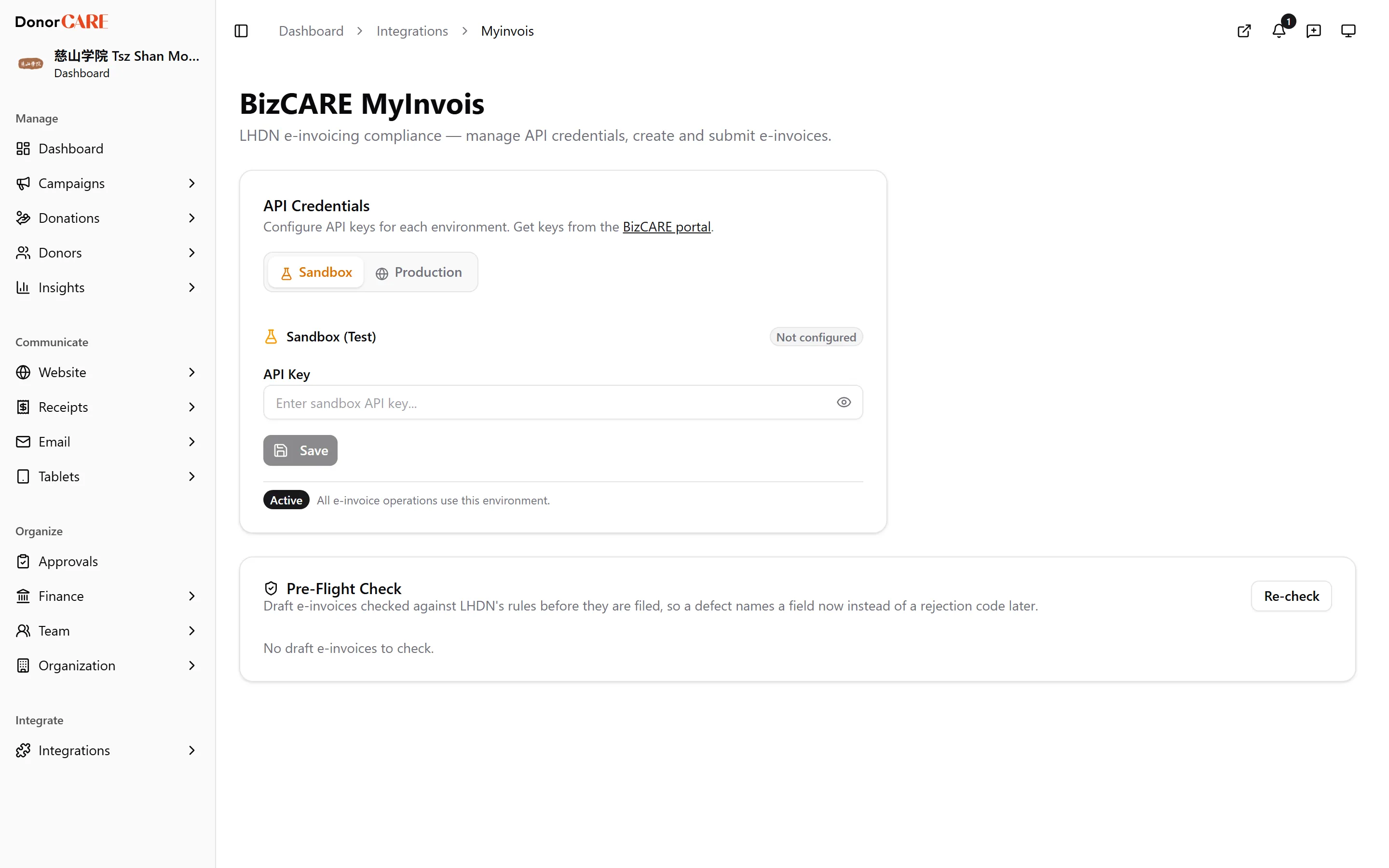
Open MyInvois. In DonorCARE, open Integrations, then select MyInvois.
-
Pick an environment. Select the Sandbox tab first — it lets you test the connection without filing anything real with LHDN.
-
Enter your API key. Paste the key from the BizCARE portal into API Key, then select Save.
-
Test the connection. Select Test Connection. DonorCARE calls BizCARE and, on success, shows your company name under Company Info — confirmation the key is valid for that environment.
-
Repeat for Production. Once Sandbox looks right, select the Production tab, enter your live API key, Save, and Test Connection again.
-
Make an environment active. Select Set as Active Environment on the environment you want live. Switching to Production asks you to confirm — every e-invoice submission goes to LHDN for real from that point on.
-
Choose your submission workflow. Under Automation, turn on Auto-submit e-invoices if you want DonorCARE to file a ready e-invoice with LHDN as soon as the donor’s details are complete. Leave it off to review and select Submit to LHDN yourself on each donation.
If something goes wrong
Section titled “If something goes wrong”| What you see | What it means | What to do |
|---|---|---|
| MyInvois doesn’t appear under Integrations | Your plan doesn’t include e-invoicing | Check Settings → Plan, or ask DonorCARE about upgrading to Enterprise |
| Test Connection fails | The API key isn’t valid for that environment | Confirm you copied the whole key from the BizCARE portal, and that it matches the tab you’re testing — a Sandbox key never passes a Production test |
| Set as Active Environment is disabled | That environment has no saved, working API key yet | Enter and save a key for that environment first |
Related
Section titled “Related”Screenshots use sample data. Every screen on this page is captured against a demo organisation seeded with generated donors, amounts, receipt numbers and campaigns. Any resemblance to a real person or organisation is coincidental.