

Ask the AI copilot
The AI Copilot answers questions about your own organisation’s donations, donors, campaigns and compliance in plain language — it only ever sees your data, and it never changes anything on its own.
Before you start
Section titled “Before you start”- Have a question in mind — the Copilot answers what you ask, it doesn’t browse for you.
-
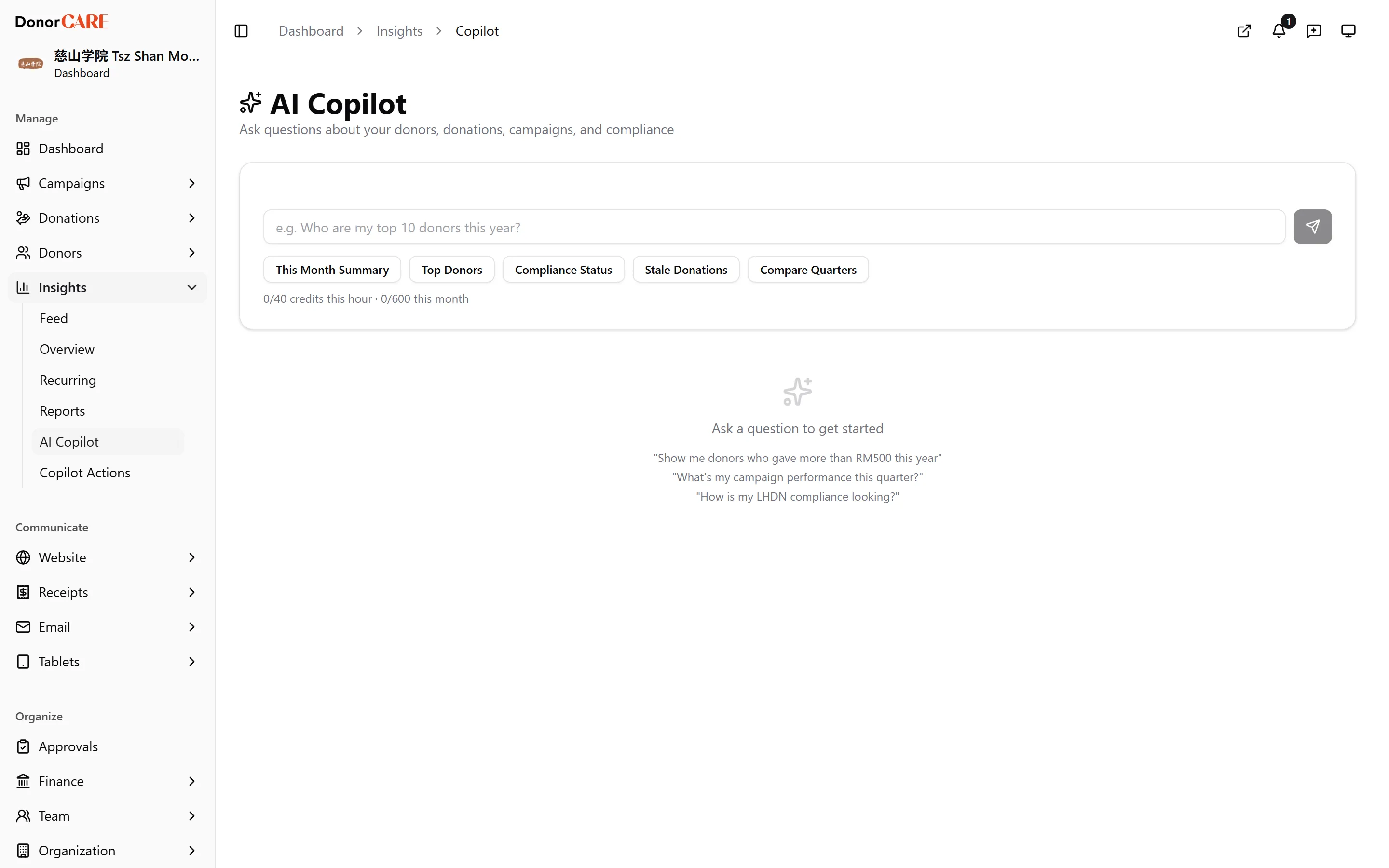
Open Insights → AI Copilot.
-
Type your question, or select one of the quick actions — This Month Summary, Top Donors, Compliance Status, Stale Donations, or Compare Quarters — then select the send button. Questions like “Who are my top 10 donors this year?” or “How is my LHDN compliance looking?” work well.
-
Read the answer. It’s pulled from your organisation’s live data — donation and donor totals, campaign performance, compliance status, recurring donations, reconciliation position, and more — and usually ends with a couple of follow-up questions worth asking next.
-
Export or pin, if useful. An answer with a table gets an Export CSV button; any answer can be pinned for later with the pin icon.
-
If the answer suggests a change, review the draft. For a handful of common tasks — tagging a donor, assigning a receipt number, scheduling a drafted email, adjusting a campaign goal, and a few others — the Copilot can draft the change instead of only describing it. It never applies anything itself; see Approve a copilot action for what happens next.
What it won’t do
Section titled “What it won’t do”Do
- Expect every answer to come from your own organisation’s data only — nothing crosses between organisations.
Don’t
- Expect the Copilot to make a change while you’re chatting with it. Even for the tasks it can draft, the change sits in a queue for an admin to approve first.
If something goes wrong
Section titled “If something goes wrong”| What you see | What it means | What to do |
|---|---|---|
| A usage limit message | You’ve reached your organisation’s usage allowance for the hour or month | Wait for it to reset, or ask a more specific question next time |
| The Copilot can’t draft an action you expected | Action-drafting isn’t available on your current plan | The Copilot still answers the question — it just describes rather than drafts |
| No answer, or an unrelated one | The question was too broad or ambiguous | Narrow it — name the campaign, donor, or period you mean |
Related
Section titled “Related”Screenshots use sample data. Every screen on this page is captured against a demo organisation seeded with generated donors, amounts, receipt numbers and campaigns. Any resemblance to a real person or organisation is coincidental.