

Manage your FAQ
Keep your FAQ page answering the questions donors ask most, without touching your other pages.
-
Open Website, then Builder, then Pages & Sections. Find FAQ in your static pages list and select the pencil icon to open Manage FAQ.
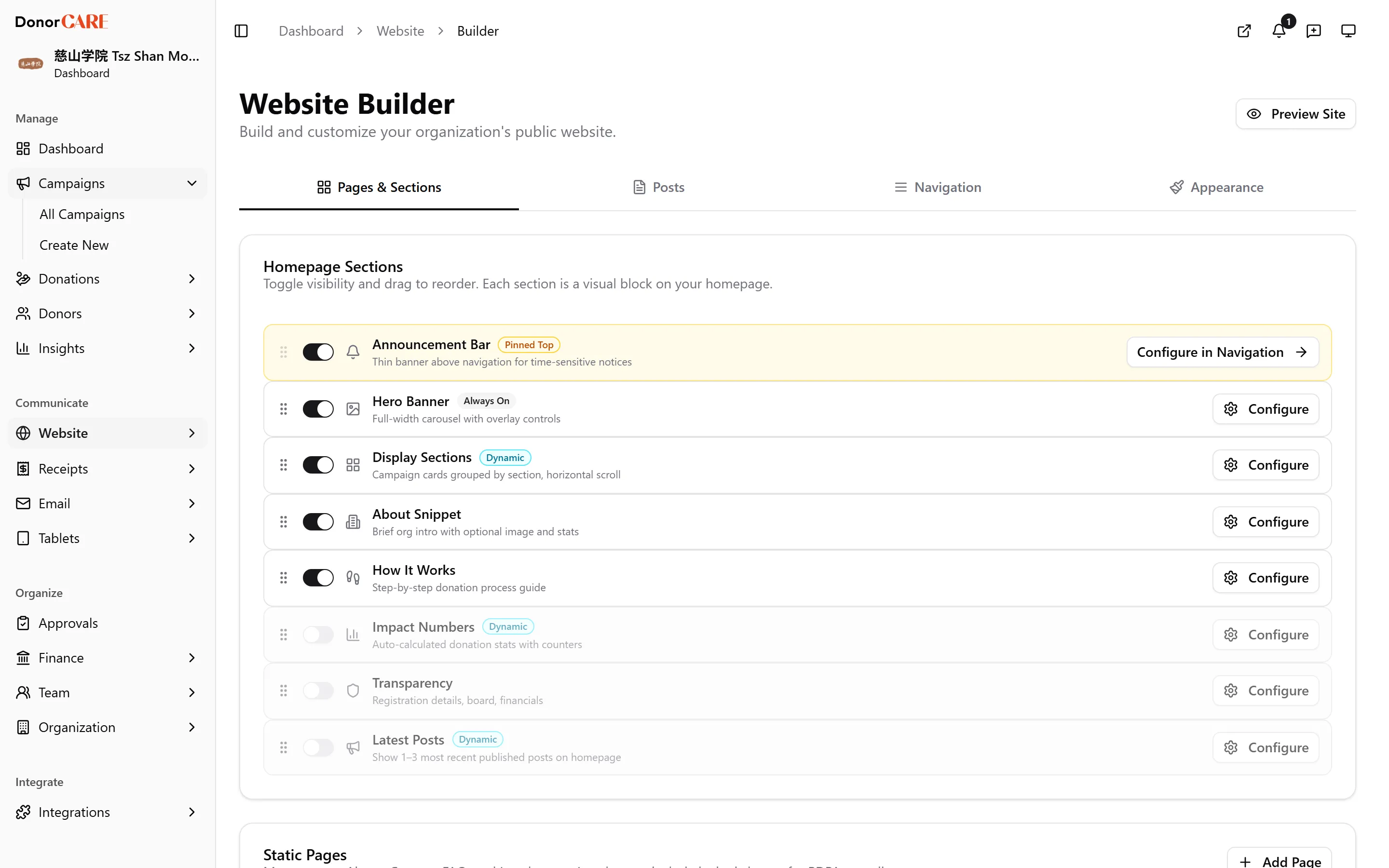
-
Select Add FAQ, then fill in the Question and Answer in English. Add the Chinese equivalents too if your donors read in both languages — leave them blank otherwise.
-
Use
{{organizationName}}or{{paymentGatewayName}}inside an answer and DonorCARE fills in the real value automatically wherever the FAQ appears — useful for a question like “who is{{paymentGatewayName}}and why do I see them on my statement?” -
Drag questions into the order you want donors to see them.
-
Select any FAQ in the list to edit or delete it.
If something goes wrong
Section titled “If something goes wrong”| What you see | What it means | What to do |
|---|---|---|
| Your FAQ list has been replaced with generic questions | Someone used the reset option, which replaces the whole list with DonorCARE’s defaults | This can’t be undone from here — rebuild any questions specific to your organisation. |
Related
Section titled “Related”Screenshots use sample data. Every screen on this page is captured against a demo organisation seeded with generated donors, amounts, receipt numbers and campaigns. Any resemblance to a real person or organisation is coincidental.