

Build your public site
Your public site is built and published from one screen — turn sections on or off, write your pages, and set how it looks, all before anyone outside your organisation sees a change.
-
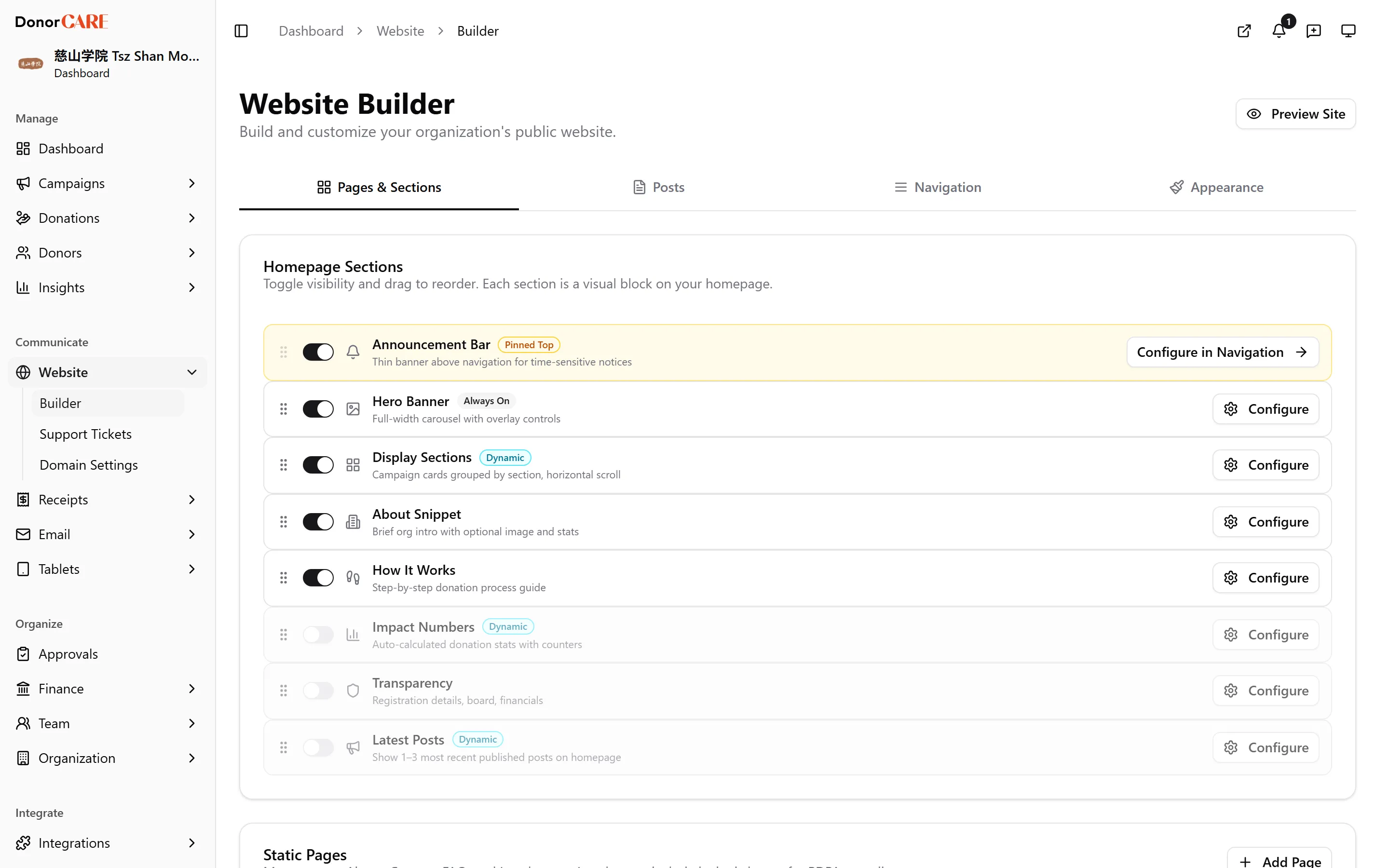
Open Website, then select Builder. You land on the Pages & Sections tab, where your homepage is put together.
-
Turn homepage sections on or off, and drag to reorder them. Hero Banner always shows. Turn on Display Sections to group your campaigns for the homepage, or About Snippet, How It Works, Impact Numbers, Transparency and Latest Posts as you need them. Select Configure on any section to fill in its details — headings, images, and which campaigns it shows.
-
Switch to the Posts tab to write news and updates, or Navigation to build your menu and footer — see Write a post and Edit navigation and pages.
-
Switch to Appearance for your favicon and social-sharing image. Your main logo and cover image come from Organisation Settings → Branding — Appearance only holds the favicon, the image shown when your site is shared on social media, and optional light/dark logo overrides.
-
Select Save Changes whenever the “Unsaved changes” bar appears at the bottom of the screen. Each section also has its own Save button that saves just that section on its own. Select Discard to drop changes you don’t want — this can’t be undone.
-
Select Preview Site, top right, to see it live. This confirms your changes look right before a donor ever sees them.
If something goes wrong
Section titled “If something goes wrong”| What you see | What it means | What to do |
|---|---|---|
| The “Unsaved changes” bar won’t go away | A section still has changes that haven’t been saved | Select Save Changes, or Discard changes if you don’t want to keep them. |
| Preview Site doesn’t appear | Your organisation doesn’t have a domain connected yet | Your site is still live at your DonorCARE subdomain — see Connect a custom domain. |
Related
Section titled “Related”Screenshots use sample data. Every screen on this page is captured against a demo organisation seeded with generated donors, amounts, receipt numbers and campaigns. Any resemblance to a real person or organisation is coincidental.